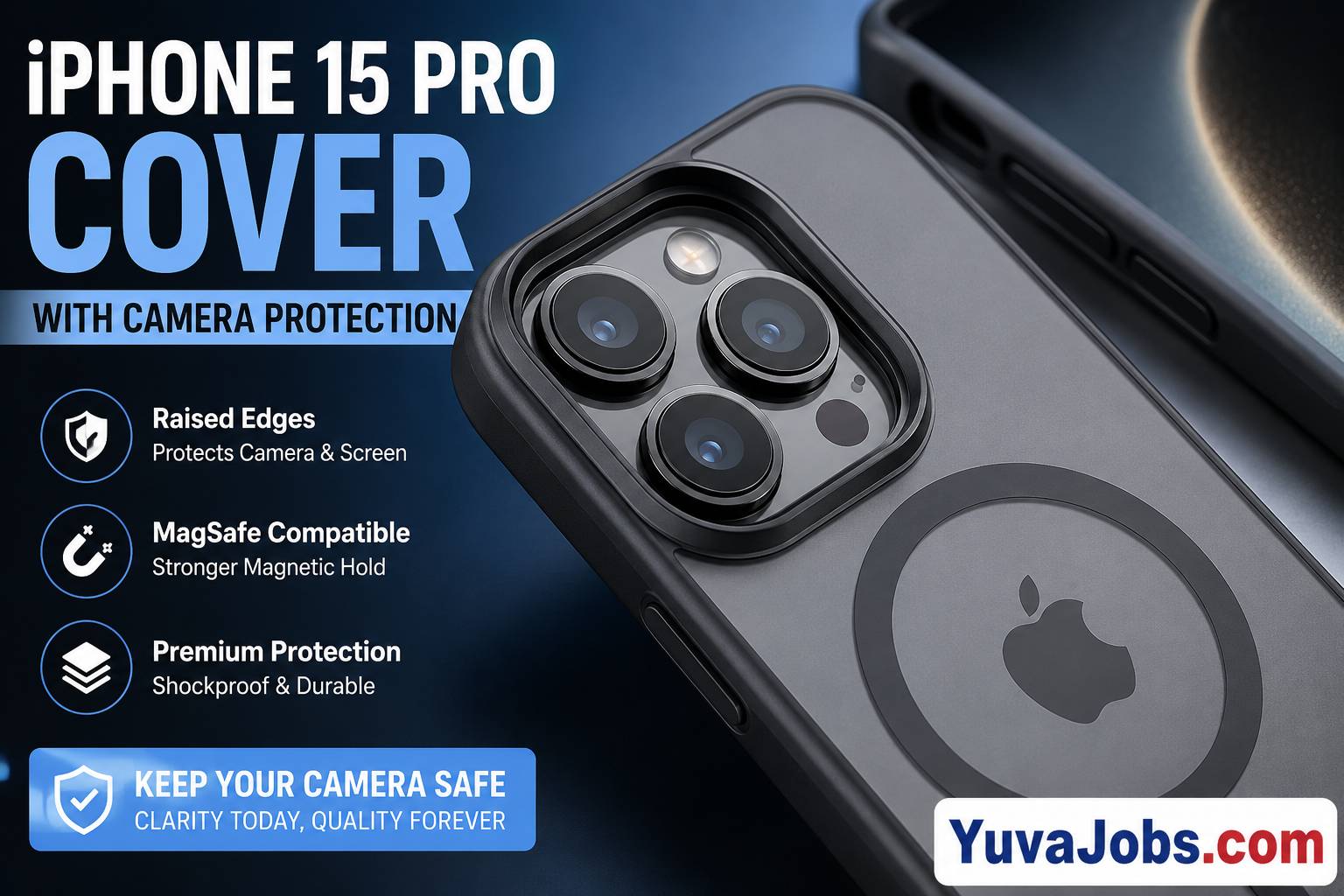
The camera system on the iPhone 15 Pro deserves as much attention as the display. Apple’s triple-lens setup produces outstanding photos, but its large sapphire-covered lenses and protruding camera bump also make it vulnerable to everyday wear. Choosing the right cover isn’t simply about style—it directly affects how well your phone survives drops, how easily it fits into your pocket, and even whether your camera continues producing clear images after months of daily use.
Many people buy the first attractive case they see. Then they discover the camera lip is barely higher than the lenses, the MagSafe charger disconnects unexpectedly, or the buttons become difficult to press. Those are common mistakes, and they are usually avoidable with a little understanding of how quality camera-protection cases are built.
Why Camera Protection Matters
The camera housing sticks out noticeably from the back of the iPhone 15 Pro—and that’s by design because Apple uses larger sensors and advanced stabilization hardware. The downside is simple: the lenses become the primary point of contact whenever the phone rests on a flat surface.
A quality protective cover doesn’t just surround the phone. It creates enough clearance between the camera lenses and external surfaces while absorbing impact energy during accidental drops.
Realistically, most damaged camera modules don’t fail because the glass shatters completely. Small scratches gradually reduce image sharpness, increase glare around lights at night, and create unwanted lens flare that cannot be fixed through software.
What Causes Camera Damage
Most camera damage comes from repeated small impacts rather than dramatic accidents.
Putting the phone on rough concrete, carrying it in a pocket with keys, or sliding it across a dusty desk slowly wears away the protective surface. Even though Apple uses sapphire crystal for lens covers (with some reports suggesting mixed material characteristics depending on testing methods), it is still possible to scratch it under the right conditions.
Another common issue comes from poorly designed cases.
Some inexpensive covers advertise “camera protection,” yet the raised lip sits almost level with the lenses. During a drop, the camera rings absorb much of the impact instead of the case frame.
And there is another factor people often overlook (especially when buying online): manufacturing tolerances vary. Two cases may look identical in photos while offering noticeably different protection in real-world use.
How to Choose the Best iPhone 15 Pro Cover with Camera Protection
Instead of focusing only on appearance, examine how the case protects the camera system.
1. Check the Camera Lip Height
The raised edge around the camera should extend slightly above the highest lens.
Around 1.5 mm to 2 mm of raised protection generally provides good everyday defense while keeping the phone comfortable to handle.
If the camera glass still touches a flat table when the phone is face-up, choose another case.
2. Look for Shock-Absorbing Corners
Corners absorb much of the force during accidental drops.
A case with reinforced corners reduces the amount of impact reaching the camera housing.
But thick corners alone aren’t enough—the internal structure matters just as much because it spreads force throughout the case instead of concentrating it near the camera module.
3. Confirm MagSafe Compatibility
Many premium cases include built-in magnetic rings.
Proper MagSafe alignment allows:
- Wireless charging
- Magnetic wallets
- Car mounts
- Battery packs
Poorly aligned magnets can cause weaker charging performance or accessories that detach more easily.
4. Button Quality
Button covers should provide clear tactile feedback.
Soft or mushy buttons may seem like a minor inconvenience at first, but over months of use they make volume adjustments and screenshots unnecessarily frustrating.
5. Material Selection
Different materials provide different benefits.
Silicone
Offers excellent grip but may attract lint.
TPU (Thermoplastic Polyurethane)
Balances flexibility with shock absorption and remains one of the most practical choices.
Polycarbonate
Provides rigidity and helps maintain the case shape.
Hybrid Construction
Many higher-end cases combine TPU interiors with hard polycarbonate shells for better overall protection.
Should You Use a Camera Lens Protector Too?
Many buyers combine a protective case with a tempered-glass or sapphire-style camera protector.
That can work well, although compatibility varies.
Some thicker lens protectors interfere with tightly fitting cases. Others slightly increase reflections during night photography.
Here’s the thing: if you already own a high-quality case with deep camera recesses, adding another lens protector may offer only a small improvement in everyday protection. If you frequently work around construction sites, gravel, or outdoor environments, the extra layer may be worthwhile despite the minor trade-offs.
Common Mistakes Buyers Make
Many returns happen because expectations don’t match the product.
Buying based only on appearance often leads to disappointment.
Another mistake involves assuming military drop-test certification guarantees perfect protection. Those tests measure specific controlled conditions and don’t cover every possible angle or surface.
So always read beyond marketing claims.
Also avoid extremely cheap generic cases that copy premium designs without matching their engineering. They may fit the phone, but camera protection often receives very little attention.
If Camera Photos Already Look Blurry
Before assuming your camera has been damaged, inspect the lenses carefully.
Clean them using a microfiber cloth without applying excessive pressure.
Remove any camera lens protector temporarily to check whether it is introducing reflections or reducing sharpness.
Restart the phone and test all three rear cameras separately.
If only one lens appears blurry, physical damage may have occurred after an impact.
But software can occasionally contribute as well. Updating iOS may resolve autofocus or image-processing issues introduced by earlier software versions.
If visible cracks exist beneath the lens glass, replacing the protective cover alone won’t restore image quality. Professional repair becomes the safest option because opening the camera assembly requires specialized tools and calibration equipment.
Preventing Future Camera Damage
Protection begins with daily habits rather than expensive accessories.
Avoid placing the phone directly onto rough surfaces whenever possible.
Keep pockets free from loose metal objects.
Replace worn cases before they lose their rigidity.
And inspect the raised camera lip occasionally. Over time, repeated impacts can compress softer materials, reducing the amount of clearance protecting the lenses.
A clean case also matters. Dust trapped between the phone and the case can gradually leave tiny marks around the camera housing.
Final Thoughts
Choosing an iPhone 15 Pro cover with camera protection isn’t about buying the thickest case available. The best option balances drop protection, raised camera edges, comfortable handling, responsive buttons, and reliable MagSafe performance without interfering with the camera itself.
No case can promise complete protection under every type of impact, and that’s an honest limitation every manufacturer faces. Even premium covers have limits against severe drops onto sharp surfaces. Your next step is simple: inspect the height of the camera protection around any case you’re considering, verify that it exceeds the lens height, and choose one built with quality materials rather than marketing claims alone.
